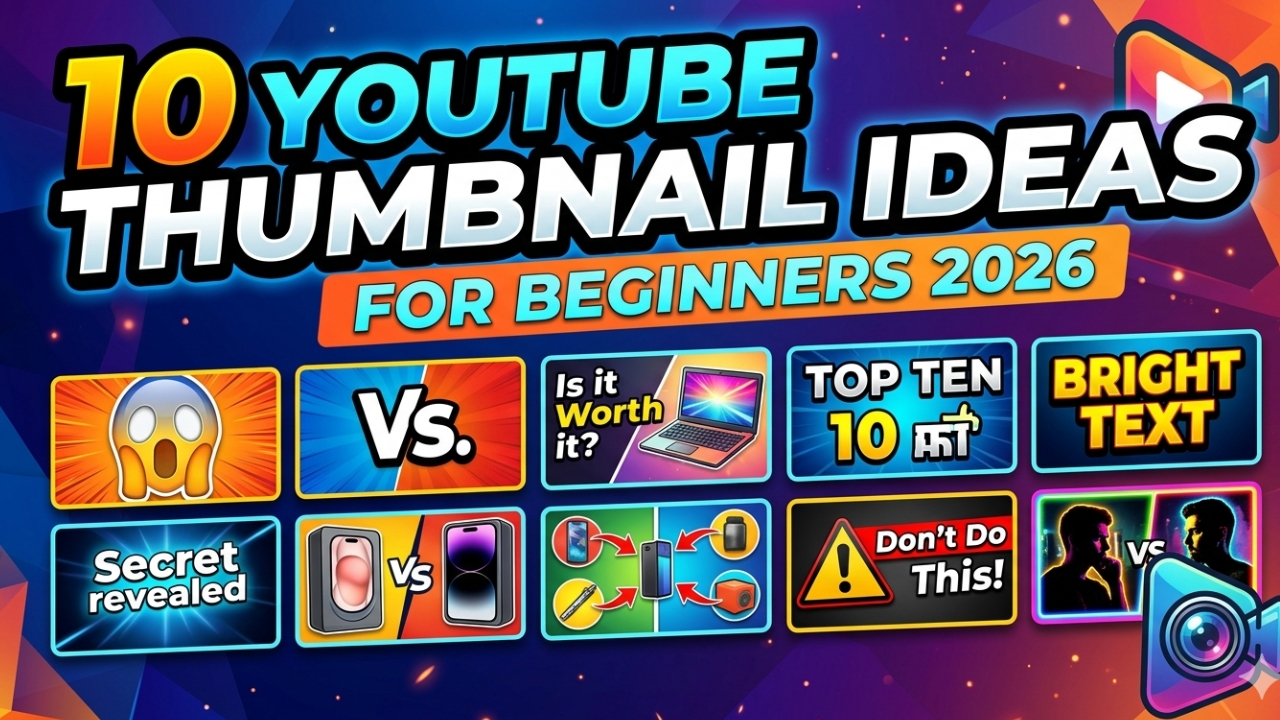
YouTube Thumbnail Ideas for Beginners 2026 — 10 Proven Concepts
Struggling to come up with YouTube thumbnail ideas as a beginner? You are not alone. Most new YouTube creators spend hours staring at a blank canvas not knowing where to start. The truth is — great thumbnails don't require design talent. They require knowing the right formulas. In this guide we share 10 proven YouTube thumbnail ideas for beginners that consistently get more clicks in 2026 — even with zero design experience.
Why Thumbnail Ideas Matter More Than Design Skill
Many beginners think they need to be a graphic designer to make great thumbnails. This is completely wrong. The most viral thumbnails on YouTube are often the simplest ones. What matters is the concept — the idea behind the thumbnail — not how polished the design looks. A simple clear thumbnail with a great idea will always beat a complex beautiful thumbnail with a confusing message.
10 YouTube Thumbnail Ideas That Work for Beginners
Idea 1 — Face Plus Bold Text
The simplest and most effective thumbnail formula for beginners. Show your face with a strong emotion (surprise, excitement, shock) on one side and bold text on the other side. This formula works for literally any niche — tech, cooking, gaming, lifestyle, education. MrBeast uses this for almost every video and it works brilliantly.
Example: Your shocked face + text "I Can't Believe This Worked" on bright yellow background.
Idea 2 — Before and After
Split your thumbnail in half — show the "before" state on the left and the "after" state on the right. This creates instant curiosity because viewers want to know how the transformation happened. Works brilliantly for fitness, cooking, DIY, room makeovers, coding projects, and any tutorial content.
Example: Messy room on left vs clean organized room on right with text "30 Minute Transformation".
Idea 3 — Number Listicle
Numbers in thumbnails consistently boost CTR. A big bold number immediately tells viewers what they will get from the video. "5 Tips" or "10 Ways" or "3 Mistakes" thumbnails are easy to design and perform excellently for beginner channels because they set clear expectations.
Example: Giant number "7" + text "YouTube Tips You Don't Know" on red background.
Idea 4 — Question Format
Asking a question in your thumbnail triggers an automatic response in the viewer's brain — they want to know the answer. Questions create open loops that the human mind desperately wants to close by clicking. This works especially well for educational and informational content.
Example: "Is This The Best Phone In 2026?" with a product image on colorful background.
Idea 5 — Arrow Pointing to Something
A simple arrow pointing to something unexpected or interesting creates powerful curiosity. The viewer's eye follows the arrow and wonders what it is pointing at. This is one of the easiest thumbnail ideas for beginners because it requires almost no design skill — just add a big red arrow pointing to the most interesting part of your image.
Example: Screenshot of code with a red arrow pointing to one line + text "This One Line Changed Everything".
Idea 6 — Comparison Thumbnail
Show two things side by side with "VS" in the middle. Comparison thumbnails work brilliantly because viewers immediately understand the format and feel compelled to find out which option wins. Great for product reviews, app comparisons, and debate-style content.
Example: iPhone vs Android with "VS" in the middle and text "Which Is Better in 2026?"
Idea 7 — Reaction Face Thumbnail
Show yourself reacting to something — mouth open in shock, eyes wide, hand over mouth. This style works on a psychological level because viewers are curious about what could cause such a strong reaction. The key is making the emotion look genuine and extreme — subtle reactions don't get clicks.
Example: Your shocked face taking up 70% of the thumbnail with small text "I Was Not Ready For This".
Idea 8 — Minimal Text on Bold Color
Sometimes the simplest thumbnail is the most powerful. Pick one bold background color, add one large word or very short phrase, and nothing else. This style stands out dramatically in a feed full of cluttered thumbnails because of its radical simplicity. Works best for motivational, philosophical, and opinion content.
Example: Bright yellow background with single word "WRONG" in huge black bold text.
Idea 9 — The "Secret" or "Nobody Talks About" Format
Humans are naturally drawn to secrets and exclusive information. Thumbnails that suggest they reveal something hidden or overlooked consistently outperform generic informational thumbnails. Words like "Secret", "Nobody Knows", "Hidden", "They Don't Want You to Know" trigger powerful curiosity.
Example: Your face with finger over lips + text "The Secret Nobody Tells Beginners" on dark background.
Idea 10 — Study Competitor Thumbnails
The fastest way to find great thumbnail ideas for beginners is to study what's already working in your niche. Download thumbnails from the top 10 videos in your category and analyze what they have in common. Then create something that fits the same pattern but stands out from the crowd.
Use YTThumbnailGrabs.com to download any YouTube thumbnail for free in seconds. Paste the competitor URL, download their thumbnail, and use it as creative inspiration for your own design.
Free Tools to Create YouTube Thumbnails as a Beginner
- Canva — easiest free design tool, has YouTube thumbnail templates
- Adobe Express — free, has great fonts and backgrounds
- Snappa — specifically designed for social media and YouTube
- PicMonkey — good for adding effects and text to photos
- YTThumbnailGrabs — download competitor thumbnails for inspiration
Conclusion
As a beginner you don't need advanced design skills to make great YouTube thumbnails in 2026. You need great ideas and a simple formula. Start with the Face Plus Text or Before and After concepts — they work for any niche and require minimal design skill. Study what's working in your niche by downloading competitor thumbnails at YTThumbnailGrabs.com — completely free, no login needed. Then create your own version that stands out.
Related Resources
- ⬇️ Download YouTube Thumbnails Free — Use Our Tool
- 🚀 How to Make YouTube Thumbnail Get More Clicks
- 🎨 Best YouTube Thumbnail Background Colors
- 📐 YouTube Thumbnail Size Guide 2026
- 🎨 How to Create Clickable YouTube Thumbnails
- 🛠️ Best Free Tools to Design YouTube Thumbnails
- 🔍 Why is My YouTube Thumbnail Blurry?